Disabling the Terminal
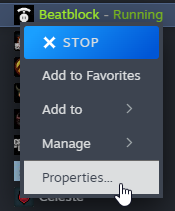
To disable the lovely-injector terminal that opens with the game, open the properties menu of Beatblock.
In 'Launch Options', type --disable-console
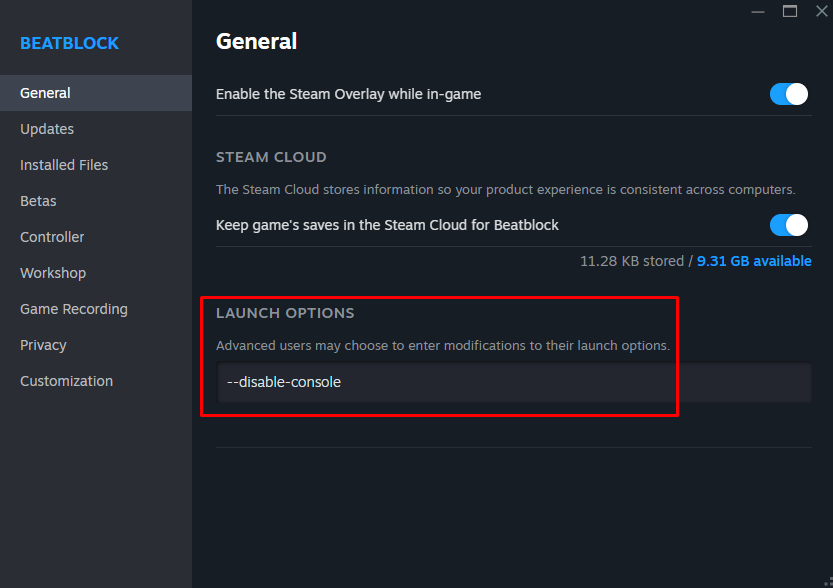
You can now close the properties and relaunch Beatblock without a terminal showing up.