Injecting Assets
Figuring out the correct path
To inject an asset, we need to find its path first. If you are injecting:
- a sprite, open the
preload/sprites.luafile of the game. - a sound, open the
preload/sounds.luafile of the game. - a shader, open the
preload/shaders.luafile of the game. - an animation, open the
preload/animations.luafile of the game.
There will be a Lua table inside the file. Next, we will find the asset we want to overwrite, skip this step if you are loading a new asset rather than overwriting one from the game.
For demonstration, I will overwrite the S rank texture.
sprites.songselect = {
	grades = {
		snone = love.graphics.newImage("assets/results/small/snone.png"),
the texture for it is stored inside songselect.grades.snone. Notice how the table path might not always match the path used inside quotes.
To overwrite it, I will create an assets/textures/songselect/grades/ folder inside my mod. (You can also have an assets/sounds/, assets/shaders/ or assets/animations/ folder if you are loading other types of resources.)
Next, I will create a file named snone.png inside the folder to match the table path.

Now when I start the game all of my S ranks in the song select menu will be replaced by fake F ranks.

Accessing assets in your code
To access your injected asset correctly. You must know how Lua's tables work. It won't be covered in this guide as there are thousands of Lua guides online.
Beatblock loads all assets into a table when the game starts, and BBP's asset injector works by converting the file path to a table path. For example, if your asset's path is folder/someOtherFolder/texture.png it would be injected as folder.someOtherFolder = <texture.png asset>
In short: Every folder turns into a table and the asset is set as a value of the final table.
If an asset with that name already existed in the table, it will be overwritten by the mod, otherwise it will be added to the table as a new asset.
Note on Animations
Animations require an extra data.json file to store animation data. Example:
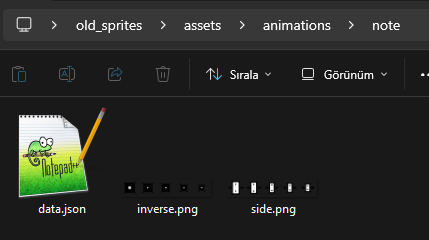
{
  "width": 32,
  "height": 32,
  "frames": 5
}